Céoù

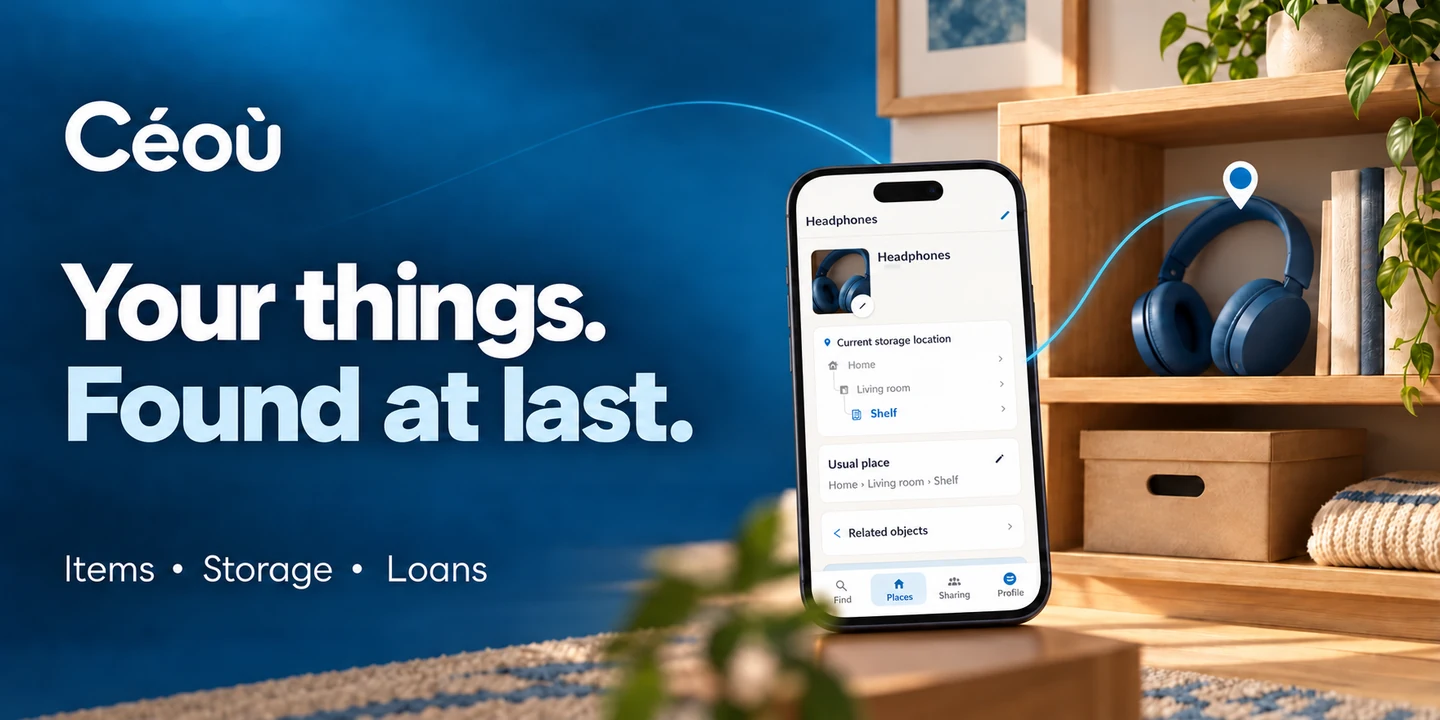
Céoù sounds like “where is it?” in French.

Put away safely. Somewhere.

The spare charger, the bike paperwork, the drill you lent a friend… Céoù helps you remember where your things are. Including the ones you put in a place you were sure you’d remember.

Testing on Android · Everyday help, with room for everyone

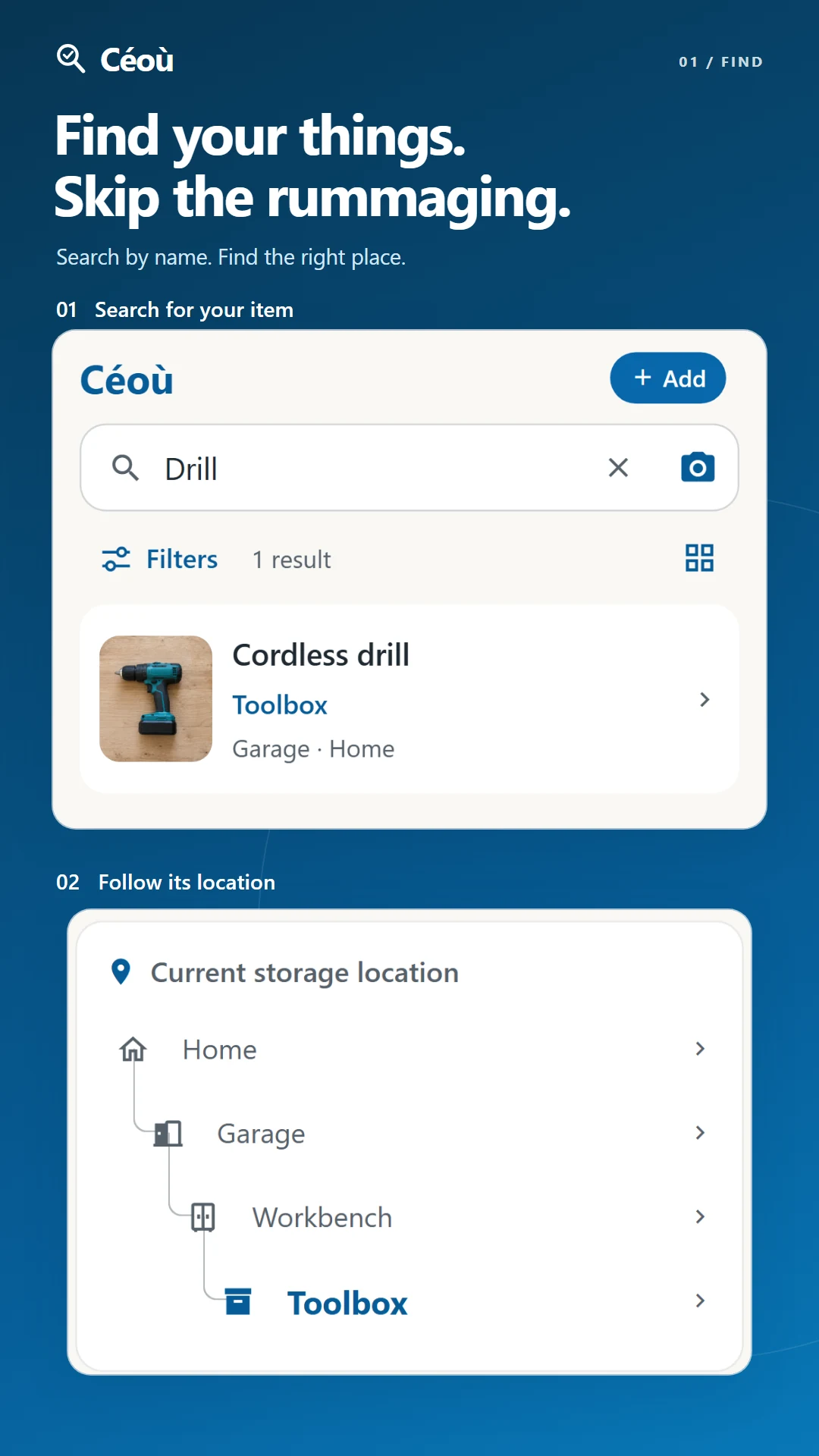
DrillHome › Garage › Workbench › Toolbox
A little less searching. A little more helping each other.

Start with one thing. The rest can wait.

A few minutes now can save you another round of “where did I put that?”.

  1. Give it a home

    Add a place, a room and a storage spot. “Home → Hallway → Drawer” is a perfectly good start.

  2. Note what’s inside

    A name is enough. Add a photo if it helps you recognise it. No need to tackle the whole attic today.

  3. Find it when you need it

    Search for its name or ask Céoù. You’ll get the path to its storage spot. If you move it, update its place in the app.

For all the little things worth keeping track of

At home, with a friend or in a moving box: know where to look.

  • Your storage, as it is

    Home, garage, drawer, box… Use the names you already use. You don’t have to reorganise your cupboards to record what’s in them.

  • “Where are the scissors?”

    Search for an item’s name to find where it is. Or enter a storage spot or box code to see what’s inside. The same search field does both.

  • Just ask out loud

    Ask Céoù to find an item or record its new storage spot. Handy whenever typing on a screen isn’t the easiest option.

  • Get your bearings

    Draw your rooms and place your storage spots. Prefer words to drawings? There’s a list view too.

  • Let a photo help

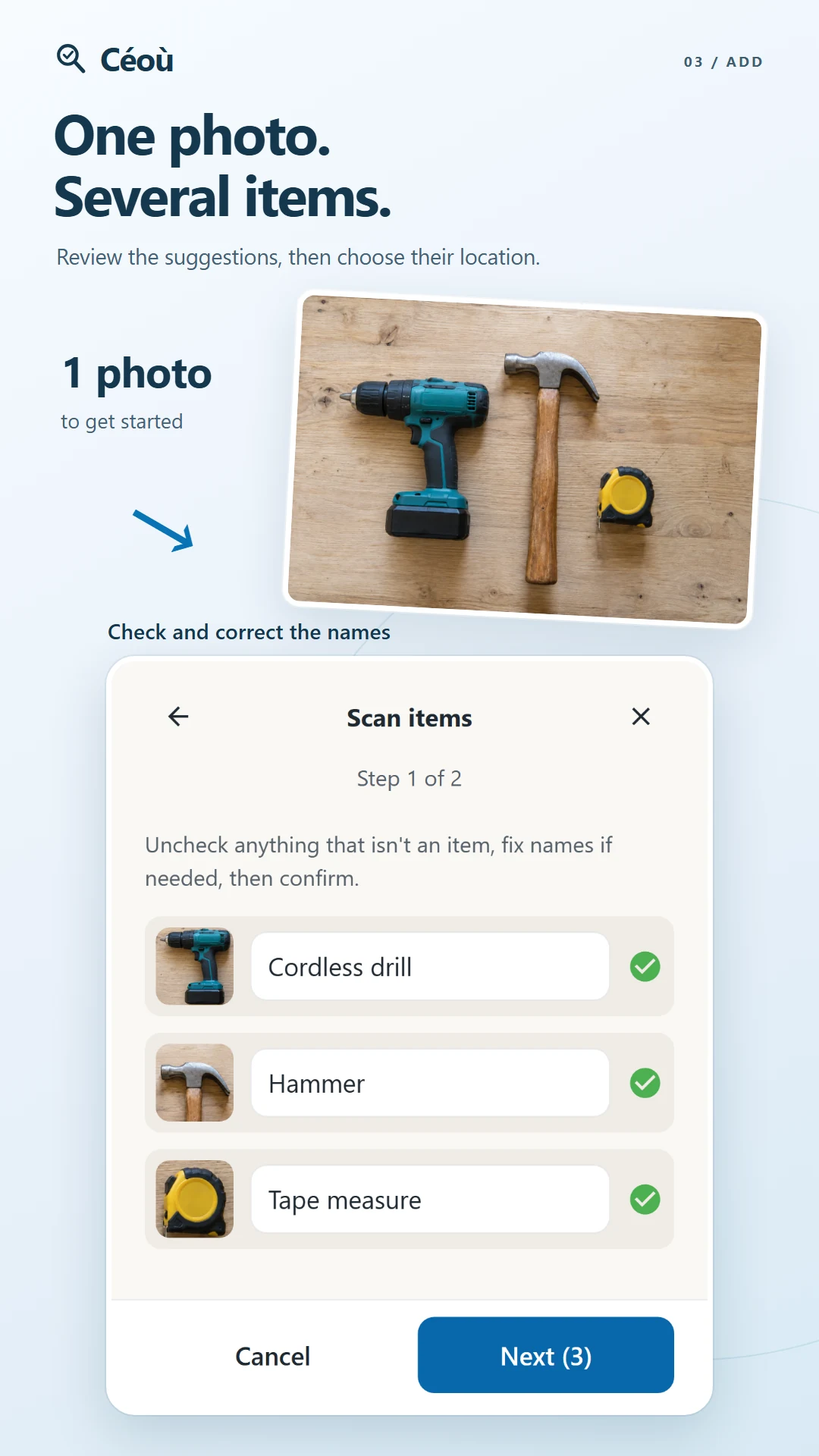
    AI can suggest several items from a photo. You check the names and choose what to add. Even a sock can need a second opinion.

  • Who has the drill?

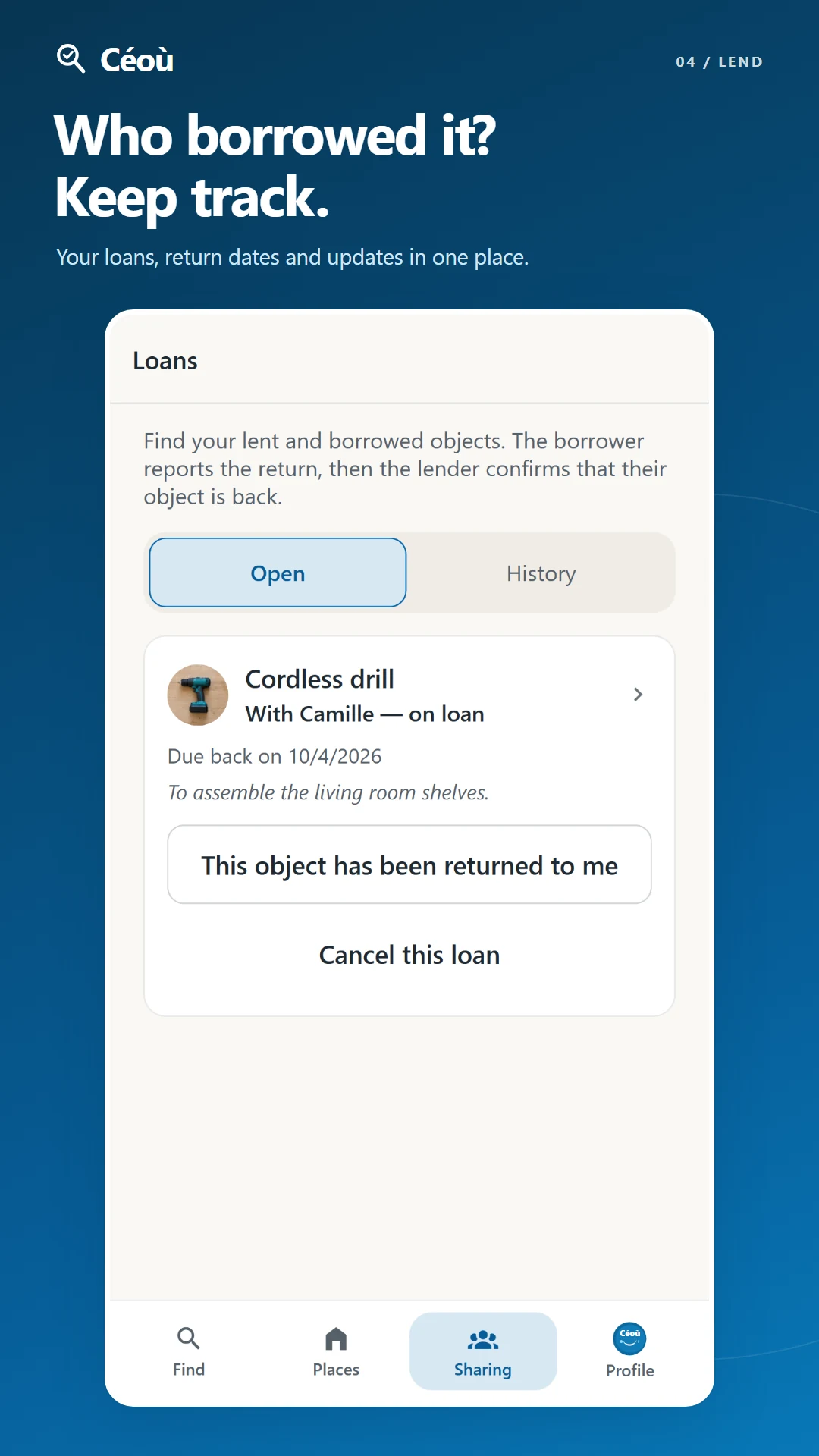
    Keep track of things lent and borrowed, with an optional return date for a reminder. Friendship survives; so does the toolbox.

  • Less mystery in your boxes

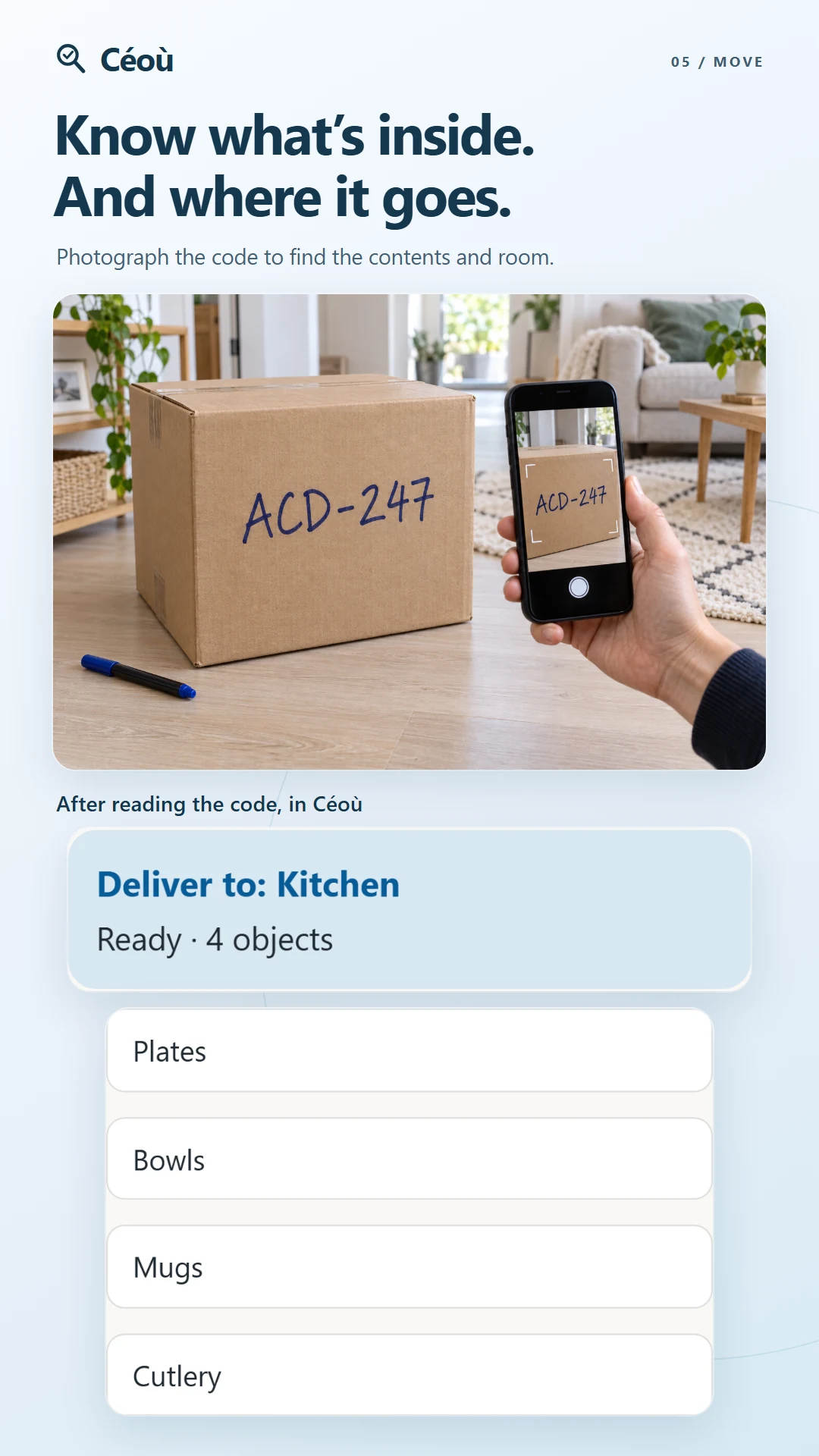
    Write their code with a marker, then type it or read it with the camera to find the contents you saved. No printing needed: the “misc.” box finally gets specific.

  • A helping hand

    Give friends or family access to selected places so you can look things up or organise together. You choose who can see and who can edit.

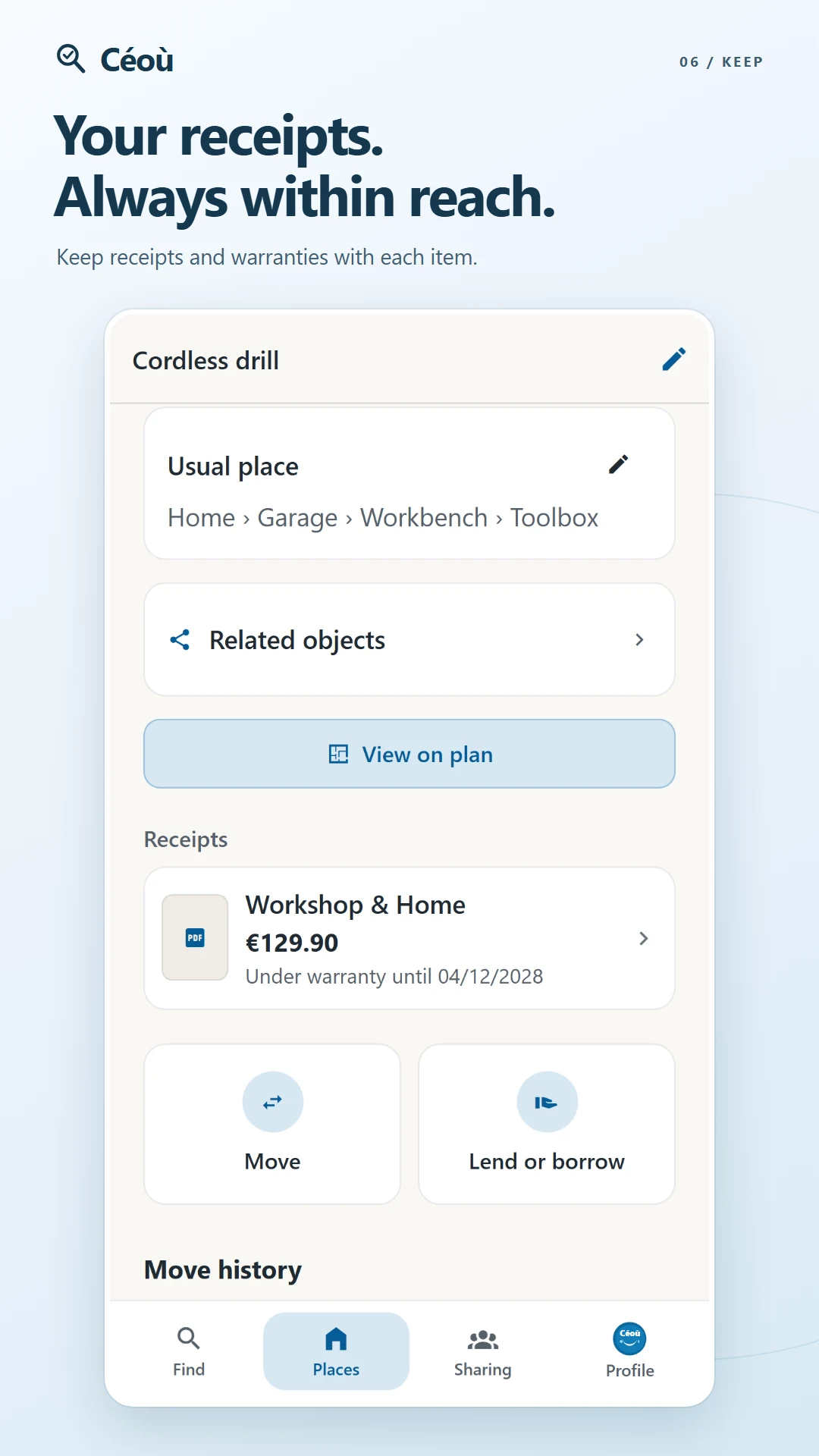
  • Keep the receipt with the thing

    Attach the receipt and note the warranty. When you need the paperwork, you’ll know where to look.

See every feature step by step

What does that look like day to day?

The plan

The right cupboard, in the right room

Remember the room but not the cupboard? Open the floor plan from the item’s page. Its storage spot is highlighted if you’ve placed it on the drawing.

  • Separate plans for different floors
  • Zoom, markers and a list view to explore your way
Living room Kitchen Hall Garage
Drill locatedGarage › Workbench › Toolbox
The assistant

“Céoù, where are my keys?”

Open “Ask Céoù” and speak naturally. Find something or record that you’ve moved it. Céoù uses what you’ve saved: it can’t actually see inside your drawers.

  • AI requires your consent and an Internet connection
  • Your plan shows your conversation allowance
Loans

Lend it. Remember who to.

A drill with Marc, a ladder borrowed from Lucie: see both in your loans. Each item keeps its usual storage spot for when it comes back.

  • Your friend doesn’t need Céoù for you to record their name
  • An optional return date, and a button when it’s back
Just add a marker

The box marked “misc.” finally has something to say.

A drawer, a container, a moving box: each has its own little Céoù code. Write it on the outside to find what you recorded inside. The printer can stay in the cupboard — if you remember which one.

  1. Copy the code from its details in 6 clear characters.
  2. Type it into search on the home screen, or tap the camera icon and frame the code. The image is captured automatically.
  3. See what’s inside. When you move a container in Céoù, its items follow and its code stays the same.

A storage spot shows its items and containers, which you can open next. Code lookup needs a connection. Typing and QR use no AI allowance; camera character reading uses 1 photo analysis if a code is recognised, none if reading fails.

Try storage codes, step by step
Illustrative example: the drawer’s code finds the scissors and cable box. Open the box to see what’s inside.
Your way

The app should fit around you.

Céoù was designed with particular care for people with accessibility needs: larger text, spoken navigation and clear ways to find things. A little extra comfort can help everyone.

Try a little preview here

Change the text size on this card. In the app, the rest of the layout adapts too.

Preview text size
Car keysHome → Hallway → Tray
  • Listen to the screen

    Your phone’s screen reader, such as TalkBack on Android, can read buttons and text aloud to help you find your way. The AI assistant has a different job: finding or putting away your things by voice.

  • Larger text, room to breathe

    Choose Normal, Large or Extra large. Buttons and spacing grow too. At larger sizes, elements stack to keep the screen easier to follow.

  • Find your way with words

    Floor plans also have a list view. Rooms and storage spots have names, so you don’t have to rely on shapes or colours alone.

Try it in Profile → My preferences → Text size. Light and dark mode live in the same place.

See how to adjust the display

Something still makes the app awkward to use? Tell Antony at contact@ceou.eu. Your feedback helps shape Céoù.

With friends and family

Shared things. Shared moments.

Moving with friends, finding a utensil at the family home or helping someone organise: you can use the same reference points, even when you’re apart.

Learn how to share a place
  1. Add someone with their friend code.
  2. Choose which places to share and what they can do.
  3. Change access whenever you need to. Becoming friends doesn’t share anything automatically.

On moving day, everyone can help. Even the friend asking where that box goes. Again.

A few useful things to know

  • Go at your own pace

    Start with five things you often look for. Add the rest bit by bit, without giving up your entire Sunday.

  • Even at the back of the garage

    Previously synced inventory stays available to read offline. AI, purchases, ads and some changes need an internet connection.

  • Your things are your business

    You choose what to share and which AI features to use. Céoù doesn’t send your inventory to advertising services.

Read the privacy policy

Free & Plus

Start with Free. Make more room with Plus.

The idea is to keep Free useful every day, with Plus for bigger inventories. These are the allowances we’re testing, rather than a launched commercial offer.

Céoù Free

Places you own
2
Items
150
Photo analyses / month
5
Voice conversation / month
5 min

Céoù Plus

Places you own
10
Items
3,000
Photo analyses / month
50
Voice conversation / month
30 min

Places shared with you do not count towards your place allowance. Plus pricing will be announced before subscriptions go on sale.

A little more AI? It’s up to you.

If you choose to, a rewarded ad could give you 2 more photo analyses. We’re testing a limit of 5 ads per day, with bonuses lasting until the end of the month. Ads won’t pop up in the middle of a search.

Plans and ads are currently being tested

Progress

How’s it coming along?

Céoù is being tested on Android before its Google Play release. There are still details to work out, and your feedback can help.

  1. Done

    The app is built

    Inventory, plans, loans, receipts and moving boxes are implemented. Storage spots, containers and moving boxes now have codes you can write down and look up.

  2. In progress

    Everyday testing

    Céoù is used every day on Android to track down what still gets in the way. iPhone comes next.

  3. In progress

    Plans and AI extras

    We’re checking allowances, purchases and optional ads before making them publicly available.

  4. Coming up

    Release

    Google Play first. An iPhone version will follow later.

Bring your ideas along

Always looking for your things? Have particular needs when using an app? Tell us in the questionnaire, and leave your email if you’d like to take part in testing.

Tell us what matters

Survey hosted on Google Forms, currently in French. Leave your email only if you want us to contact you.

Just want to hear when Céoù launches? Drop a note to contact@ceou.eu.

A few things you might be wondering

Do I need to record everything first?

Thankfully, no. Start with things you often look for: paperwork, tools, cables, decorations… Céoù can help from the first item you save. Just record where it is and update its place when you move it.

Do I have to print a label for every box?

No. Every moving box, container and storage spot gets a 6-character code. Copy the code from its details with a marker or onto a small label. Type it into home screen search, or use the camera on the right of the field. A QR code is still available if you prefer printing.

Can the camera really read handwriting?

It automatically captures an image of the code and sends it to Google Gemini with your permission to use AI. Write in large capitals, frame just the code and hold the phone steady. You need a connection and a few moments; check the result, as recognition can make mistakes. A complete code recognised uses 1 photo analysis, even without accessible storage. No code recognised or a failed analysis: nothing deducted. Typing and QR use no AI allowance.

Can someone who sees my code open my inventory?

No: the code identifies a storage space; it does not grant access. Sharing permissions still apply. Different storage spaces have different codes, even across users. People sharing the same space use the same code.

What if I move my box to another room?

Move the container from its details in Céoù: its items and nested containers follow. Its code stays the same and the app shows the new location. Remember to record the move in Céoù too: the code is not a tracker that physically follows the box.

Does Céoù cost anything?

Céoù is preparing a free plan and a Plus subscription with higher inventory and AI allowances. The limits are being tested and Plus pricing has not been announced yet. Optional ads will provide extra photo analyses.

Do I need an account?

To put your own things away, yes: that is what lets you find them again from another phone, and lose nothing when you change device. To only look at what someone has shared with you, no — an invitation code is enough.

Can Céoù read the screens aloud?

Your phone’s screen reader, such as TalkBack on Android, can read interface elements and help you navigate. You can also increase text size in Profile → My preferences. “Ask Céoù” is a separate feature: the AI assistant for finding or moving items by voice.

Does it work without a network?

You can browse inventory already synced to your phone. AI, up-to-date sharing, purchases and ads need a connection. Some changes also require network access. Looking up a storage code and moving a whole container also need a connection.

Can I share with my family?

Yes. Add friends with their friend code, then choose which places they can access and their permissions. A move is only shared when you enable that option.

Where is my data?

Your inventory is stored with Supabase in the European region configured for Céoù. AI, purchases, notifications and optional ads also use service providers, with some processing outside the EU. The privacy policy explains these exchanges.

Can I delete everything?

Delete your account under Profile → My account, or email contact@ceou.eu without the app. The Privacy page explains what is deleted and the exceptions. A Google Play subscription must be cancelled separately.

When is it out?

Céoù is being tested on Android. Google Play comes first, then iPhone. There is no fixed date yet. Use the survey on this site to express interest in testing.

An idea? A “what if it could…”?

Antony is the person behind Céoù. Tell him what helps, what’s missing or what gets in your way. That’s how the app gets better.

contact@ceou.eu